How to Get a Korean Certificate of Entry and Exit Records Online
Translated from the Korean original. Read the original →

First, go to the Minwon24 page where you apply for the certificate online. You can get there from here. As anyone who's used Korean government websites knows, for your own sanity it's best to use Internet Explorer whenever possible. You'll then see a screen like this.
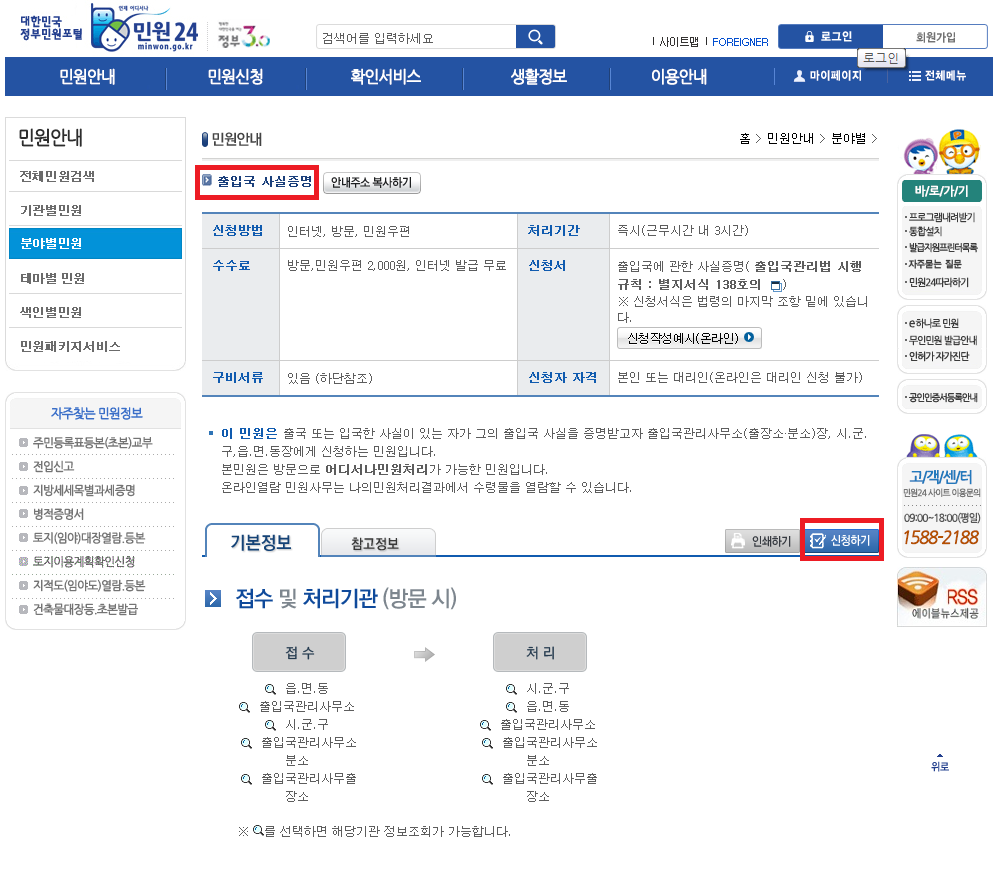
On the application screen for the Certificate of Entry and Exit Records, click Apply. Things go much more smoothly if you've already signed up for Minwon24 and have your public certificate (gongin injeungseo, Korea's digital ID certificate) ready. You can also apply as a "non-member," as shown below, but when I tried that I had to install one program after another and then re-enter all my information, which was a real headache.
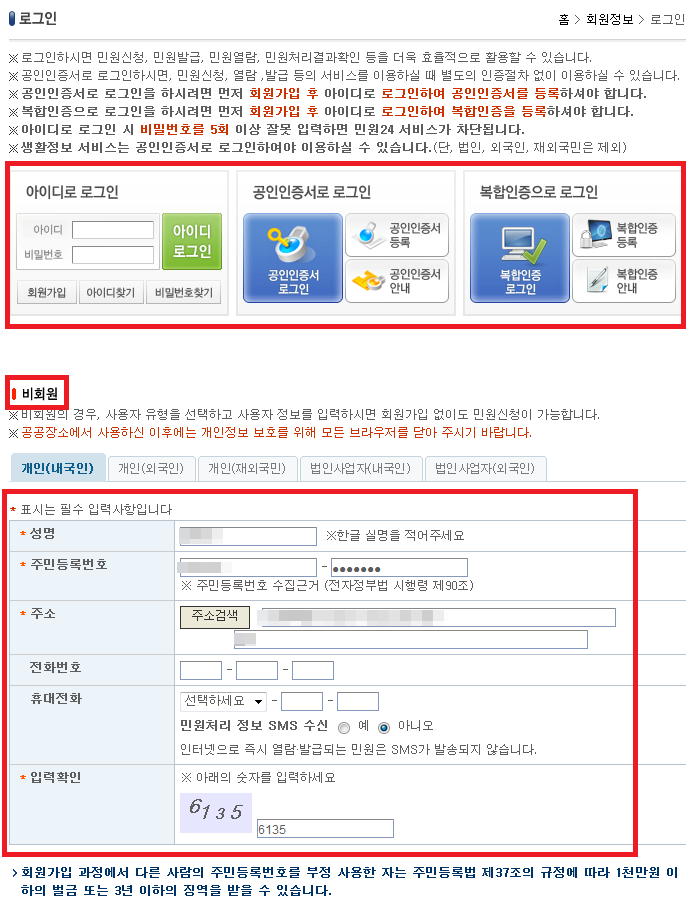
Either way, member or not, once you submit the application and move on, you'll get a confirmation screen like the one below.
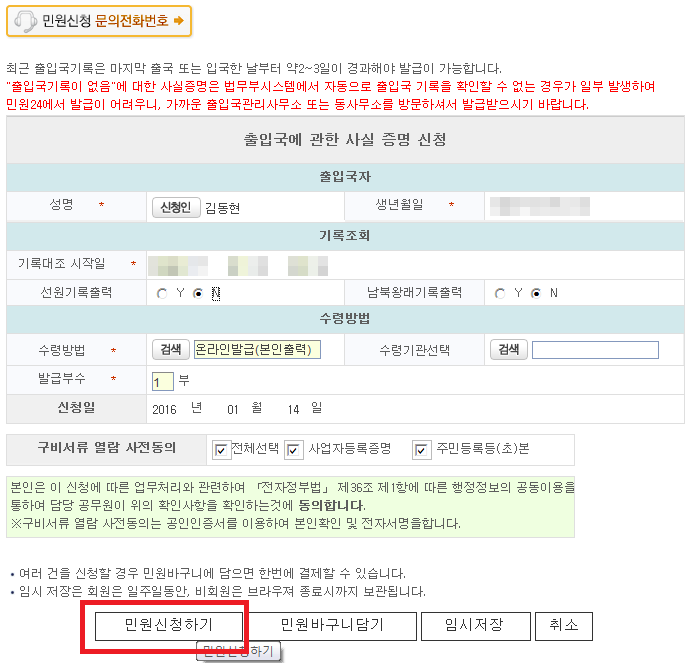
Click Submit Application, and about three seconds later your certificate is issued. And it's free! It lists every entry and exit from the start date you pick up to today, and you can set that start date to whatever you like.
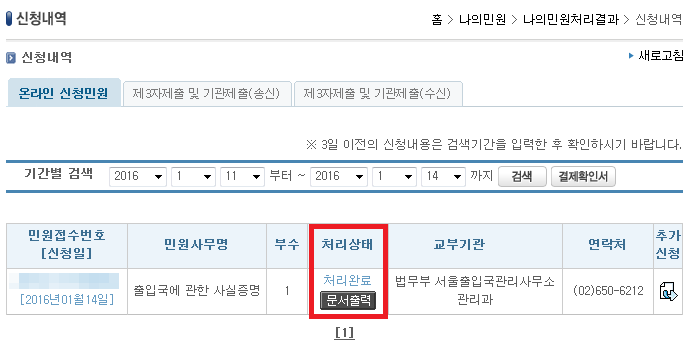
One thing to note: you can't download the certificate as a file. You need a printer hooked up to your computer, because printing it out is the only option.
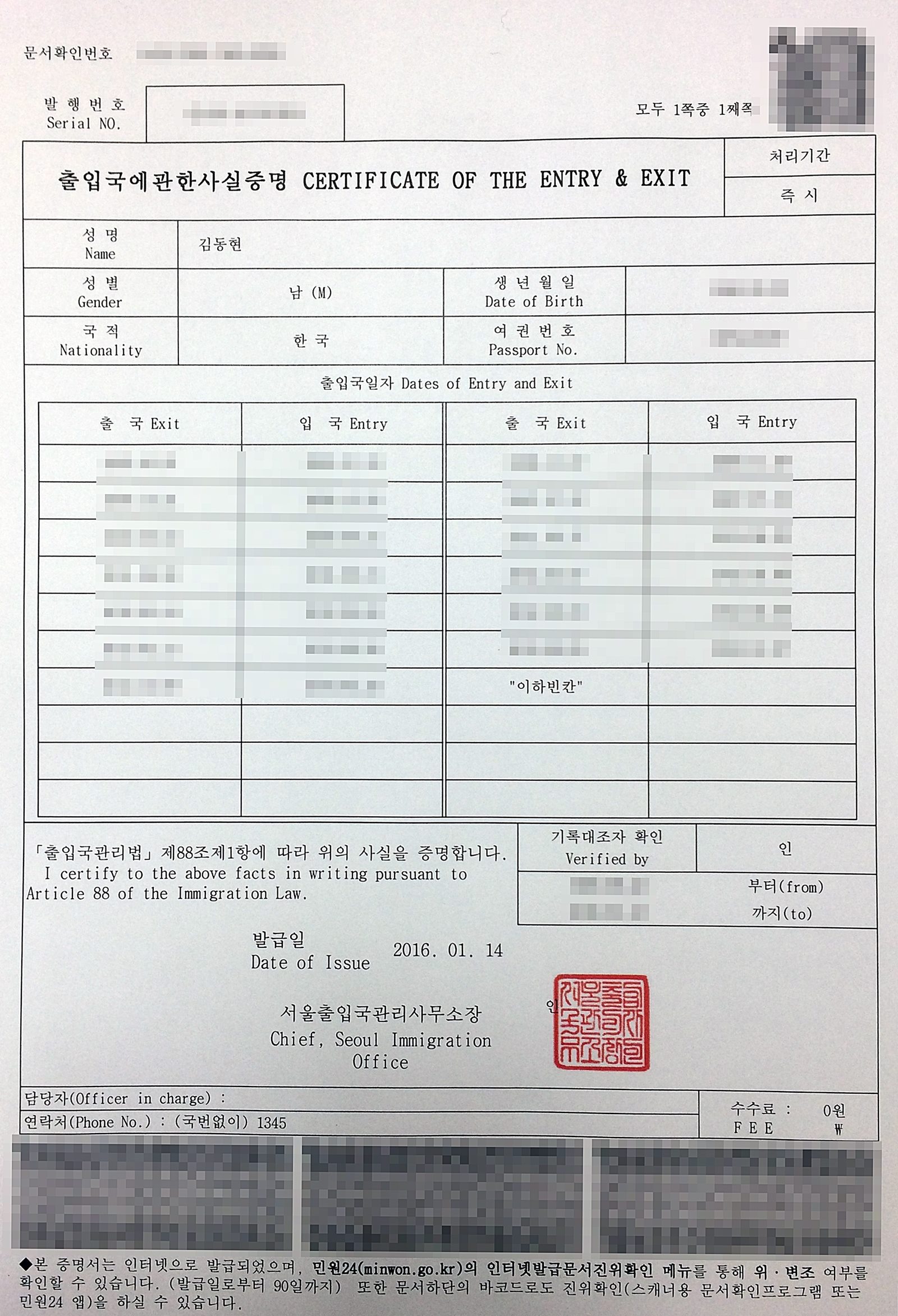
And here's the printed certificate. Mine showed 13 entries and exits in total.
More in Others
See all- Switching My Blog to the NanumSquare Web Font: A Review(5)
- EMS Super Express to Japan: Next-Day Delivery from Korea?!(2)
- How to Get a Korean Certificate of Entry and Exit Records Online
- Scratched Camera LCD? It's Probably Just the Protective Cover (and a Cheap Fix)
- How to Use Facebook Search (Find Posts You Saw Before)
Comments 0