How to Use Facebook Search (Find Posts You Saw Before)
Translated from the Korean original. Read the original →
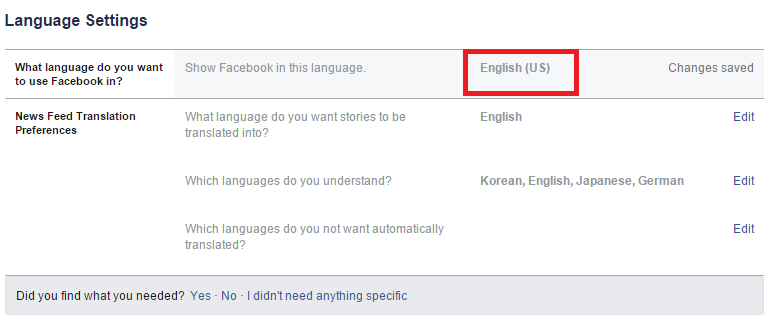
Facebook search is turned on the moment you change the setting. Note that other versions of English (UK, etc.) won't work. It has to be US English... Now let's try searching.

1. Finding a post you saw earlier
I remembered seeing a photo of Yongma Land or something like that a few days ago, but I couldn't remember who had posted it, and scrolling back through my timeline didn't turn it up. So I searched for "용마랜드" (Yongma Land).
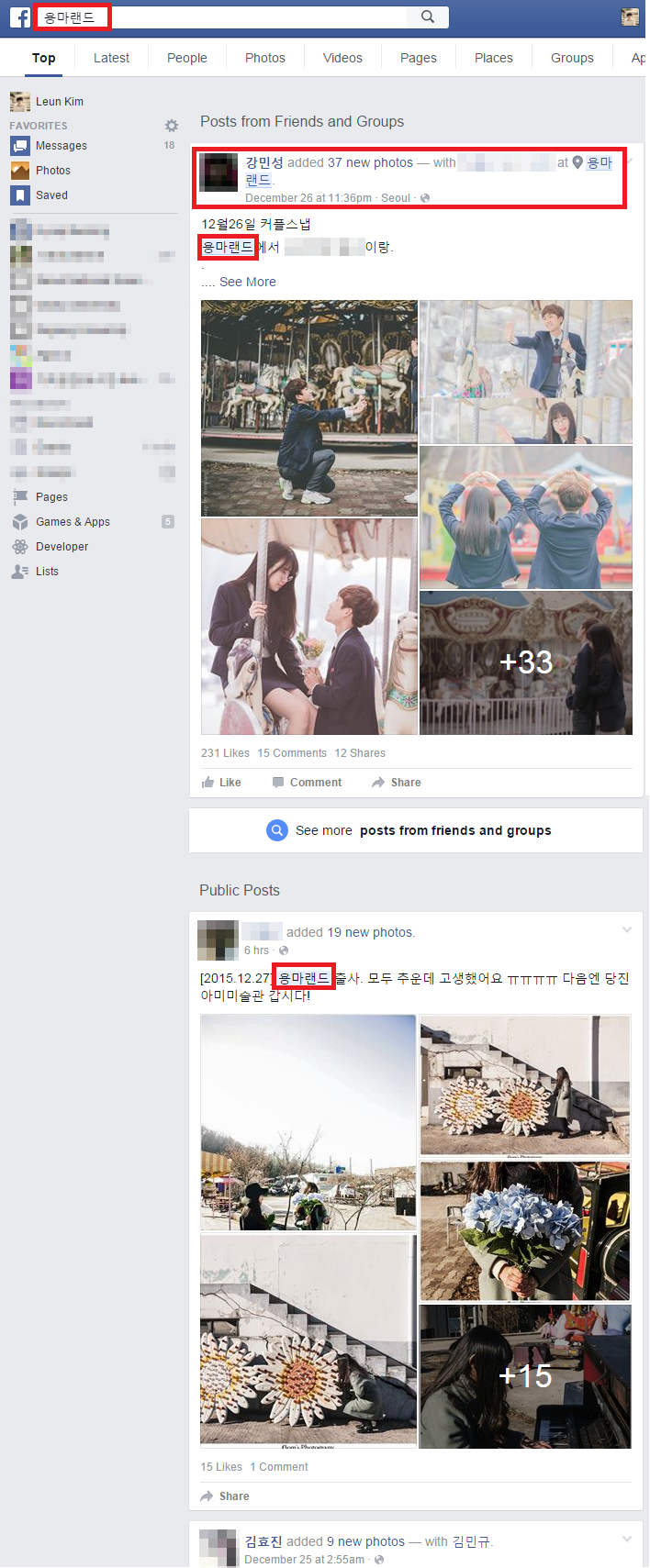
The post I was looking for came up first. Results are listed in this order: 1. your friends' posts, 2. posts by friends of friends, 3. posts from pages or groups you follow, 4. all other posts, newest first. The order of 1, 2 and 3 isn't strict, though; posts with more "Likes" and "comments" get pushed to the top. For some search terms, group posts even show up at the very top, above your own posts and your friends'...
2. Searching Facebook in general
You can also just search casually, the way you would on a regular search engine. For example, when I searched for "오키나와 맥주" (Okinawa beer),
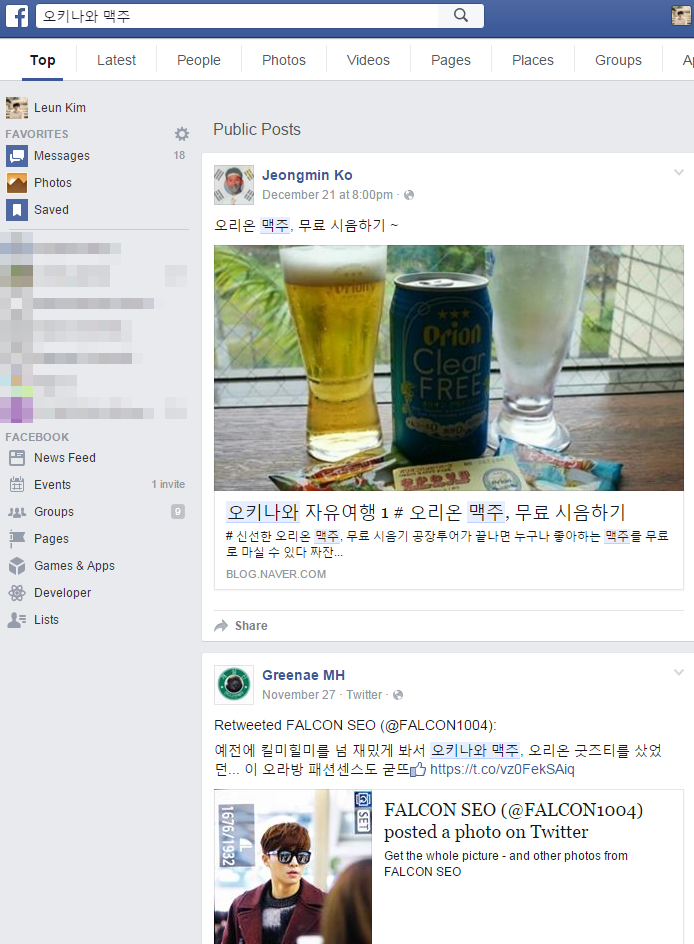
it did a pretty good job of finding posts that contain both keywords, as you can see.
3. Searching only a specific friend's posts
If you want to search within one person's posts, just type their name along with your search term.
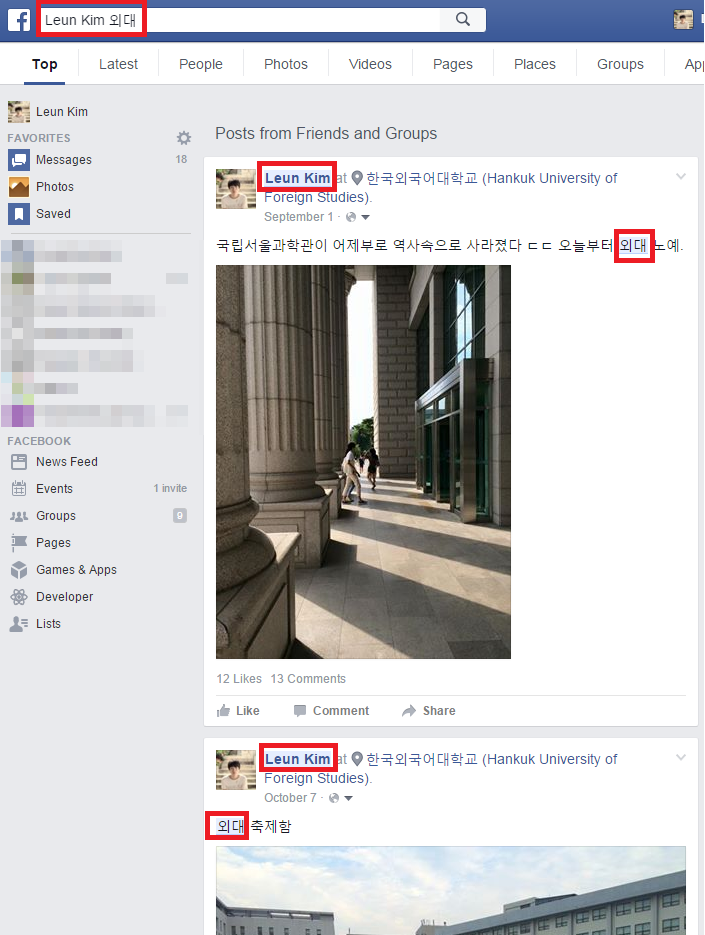
On top of that, a bunch of other search features, like photo search and video search, have been added recently.
Of course, that's only if you use Facebook in US English...
Facebook search still seems to be in beta, which is probably why other languages aren't supported yet.
More in Others
See all- How to Get a Korean Certificate of Entry and Exit Records Online
- Scratched Camera LCD? It's Probably Just the Protective Cover (and a Cheap Fix)
- How to Use Facebook Search (Find Posts You Saw Before)
- Seoul Fine Dust So Bad You Can't Even See Across the Han River(2)
- Hongdae Walking Street and the Back Alleys of Hongdae, Seoul
Comments 0