How to Use Naver Syndication (Naver Webmaster Tools) with WordPress
Translated from the Korean original. Read the original →
1. Signing up for Naver Webmaster Tools
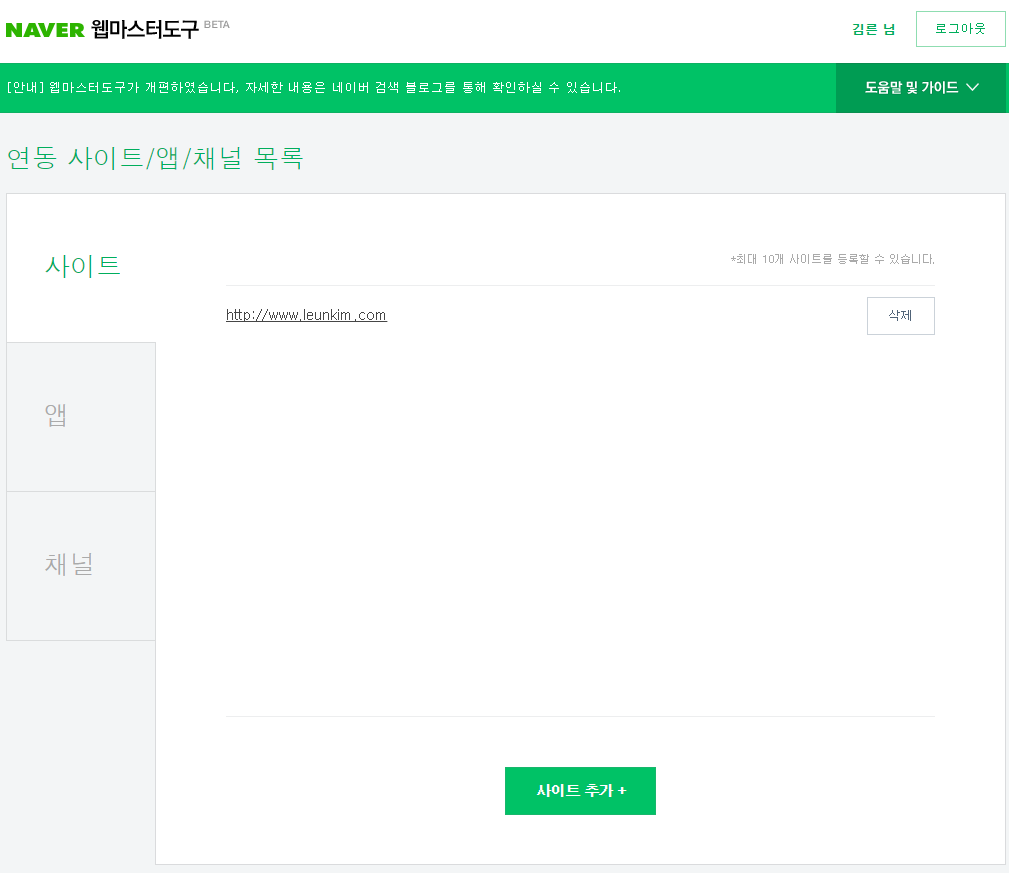
Go to Naver Webmaster Tools (searchadvisor.naver.com/), log in with your Naver ID, and verify that you own your blog or site. The easiest way is to upload the file Naver gives you to your server's root directory. Once that's done, you'll see your site added, like this:
2. Sending your posts to Naver
On WordPress, the easiest option is to install a plugin called Naver Web Syndication v2. There are two plugins with that name, and from what I found, the one by "iamgood" looks like the better choice. Then just enter the Naver Syndication key you got from Naver into the plugin and connect it, as shown below.
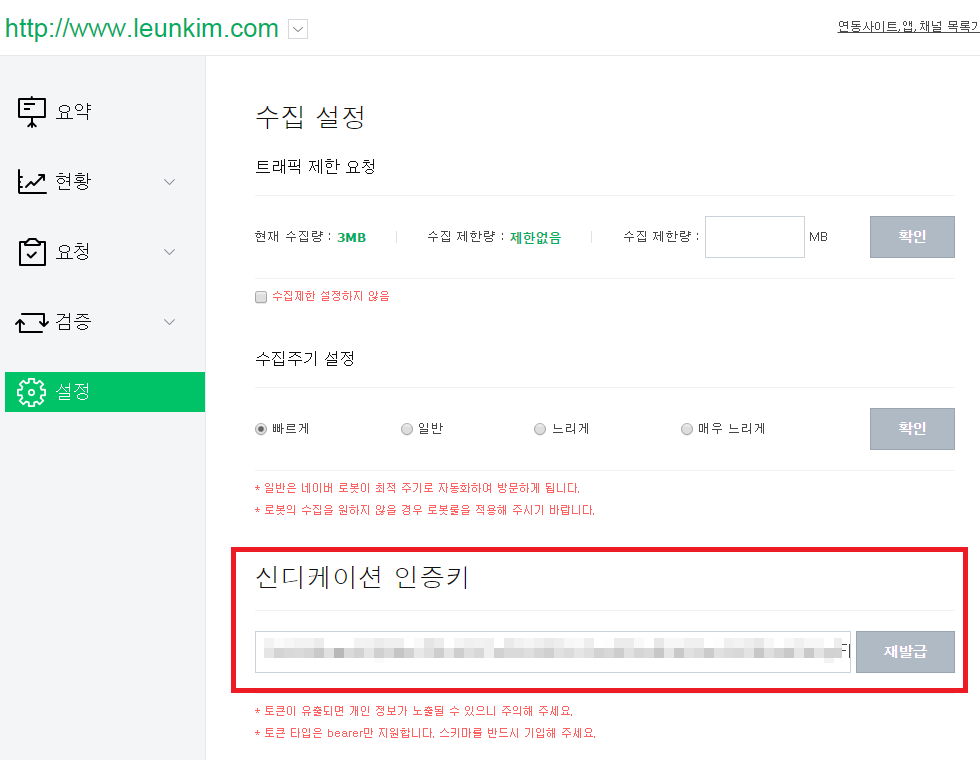
Copy the Naver Syndication key in the red box, open the Naver Web Syndication v2 plugin in WordPress, and paste it into the key field. If everything is connected properly, you'll see
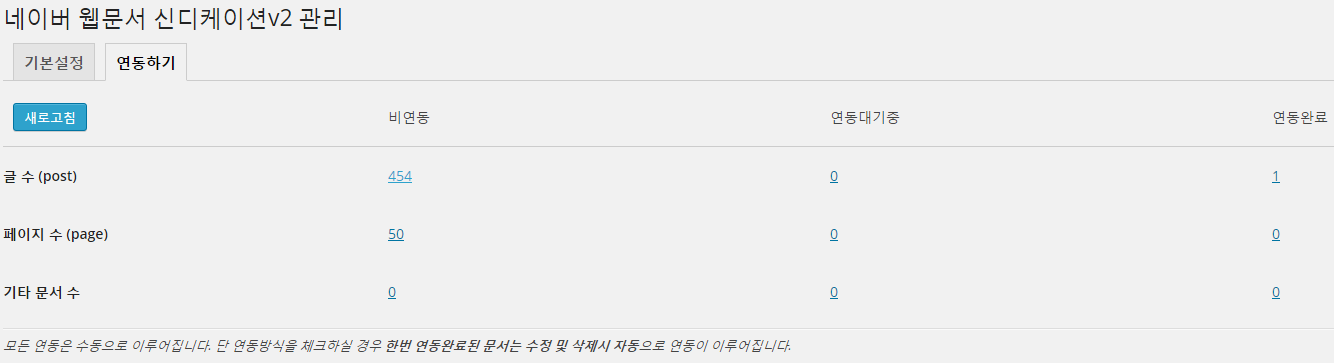
a message confirming the connection, like the one above. That screenshot is from when I sent a single test post. It doesn't connect right away; it takes about an hour.
3. Monitoring your site in Naver Webmaster Tools
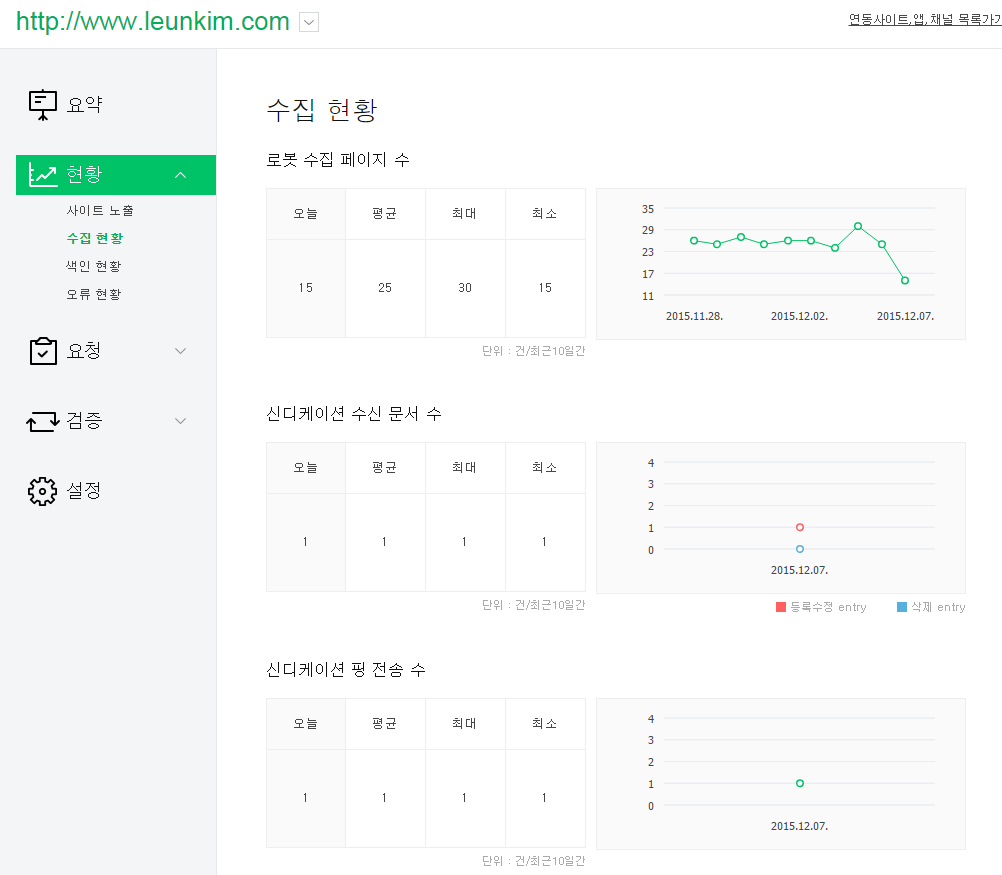
As you can see above, Naver Webmaster Tools offers all sorts of menus. Just clicking around a bit lets you easily optimize your site for Naver. Even without installing the WordPress plugin, you can ask Naver to crawl changes to your blog or site through the "수집요청" (Request Crawl) menu, shown below.
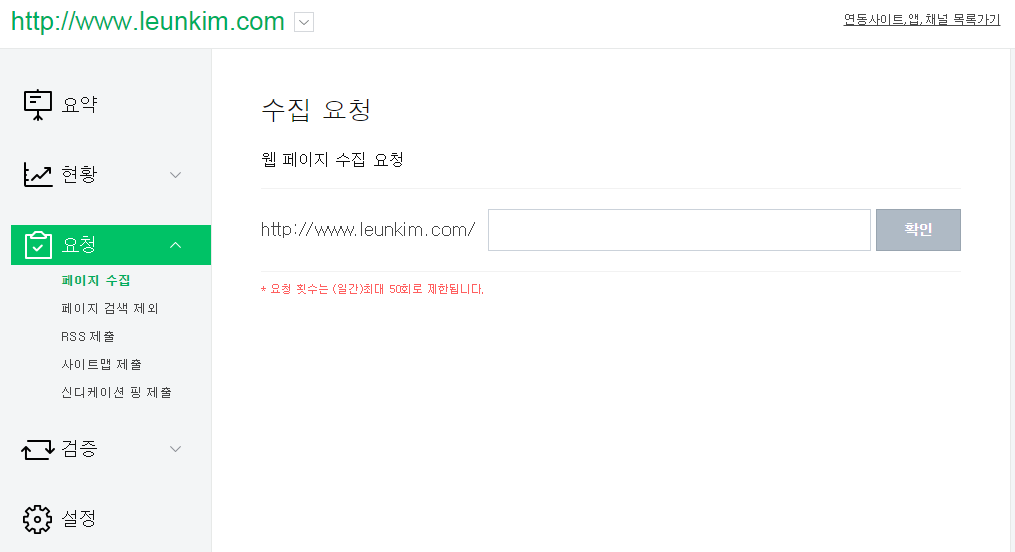
Doing that by hand gets tedious, though, so I recommend using the plugin. It lets you send everything you've written so far in a single click. Most sites show up fine in Naver search even without using syndication through Naver Webmaster Tools, but in that case Naver basically relies on crawling your RSS feed, which means (1) changes show up slowly and (2) edits are hard to get reflected. So if you run your own site, using Naver Webmaster Tools to push your feed right away will save you a lot of headaches.
More in Blog Tips
See all- Switching My Blog to the NanumSquare Web Font: A Review(5)
- How to Show EXIF Photo Info on Your Blog (PhotoScape and WordPress)
- How to Use Naver Syndication (Naver Webmaster Tools) with WordPress(7)
- Google AdSense Cost per Click (CPC): Why Clicks from Korea Pay Less(1)
- How to Analyze Keywords with Naver Trend for Blog Traffic
Comments 7
지금은 신디케이션 사용안하시나요?
http://web.search.naver.com/search.naver?sm=tab_hty.top&where=webkr&ie=utf8&query=site%3Aleunkim.com
네이버에 이 홈페이지 검색해보니 아무것도 안뜨는데요..
저도 같은 상황이구요..
네이버 정말 짜증나 죽겠네요.. 에휴..
네이버같은 경우 다른 포털에서 사용하는 site: 명령어가 잘 안 먹히니 무시하셔도 됩니다. 정상적으로 글이 수집되었는지를 알기 위해서는 네이버 신디케이션으로 확인하시거나 검색창에 자기가 쓴 글의 제목을 한 번 검색해 보세요~
혹시 네이버 웹마스터 도구에 RSS 어떻게 등록하셨는지 알 수 있을까요?저는 http://도메인/feed 이렇게 등록했는데 반영이 안되는 것 같아서요.블로그 자체는 웹문서 검색에 등록이 되었던데 블로그의 글들은 아직 검색이 안되네요.감사합니다!
네 그런식으로 등록하시면 문제 없습니다. 사이트마다 RSS 피드 주소가 다르기 때문에 피드가 정상적으로 발행되는지 확인하셔야 됩니다. 여기 한 번 보시고 정 안되시면 네이버에 전화하셔서 등록해달라고 하는게 가장 확실합니다.
답변 감사드립니다. 며칠 더 기다려보고 안되면 그냥 네이버에 전화해봐야겠네요.즐거운 하루 보내세요!
안녕하세요. 질문 하나만 더 드릴게요.혹시 네이버 검색에 썸네일 띄우기 위해서 사용하고 계신 플러그인이 있나요?leun님 덕분에 네이버 검색에 게시물은 잘 반영이 되었는데 왼쪽에 썸네일이 뜨지 않네요ㅠㅠ도와주셔서 감사합니다!
안녕하세요. 일단 네이버같은 경우 게시글의 이미지 중에서 순서에 관계없이 가장 작은 파일 크기의 이미지를 썸네일로 자동으로 반영합니다(보통은 게시글 반영되고 몇 일 후에 썸네일이 반영됩니다). 그래서 보통은 이 블로그처럼 게시글 맨 하단에 썸네일용 이미지를 정사각형 최소 파일 사이즈로 따로 올려두는 경우가 많습니다. 그런 플러그인도 잘 찾아보면 있을 것 같지만 지금은 잘 모르겠네요~