How to Change Fonts on a WordPress Blog: Different Fonts for English, Japanese and Korean
Translated from the Korean original. Read the original →
This post is also available in 日本語
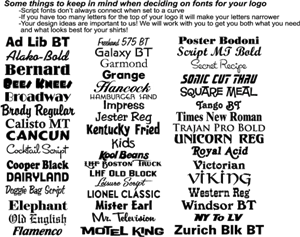
If you write in anything other than the Latin alphabet, one of the first problems you'll run into after starting a WordPress blog is fonts. So how do you change the font on a WordPress blog? If you mostly stick to one language, it's not that hard to solve. But if you regularly mix several languages on the same blog, giving each language its own font becomes a must.
When I first started my WordPress blog, Korean text looked pretty bad, so I applied Nanum Barun Gothic to the whole blog. The Korean looked great after that, but now the English looked clumsy.
So in this post, I'll show you a really simple trick for using "different fonts" for "different languages" (here: English, Japanese and Korean) on your WordPress blog.
First, you need the fonts. Any format will do, but WOFF is the safe choice, so get three WOFF fonts. I went with Helvetica for English, mplus-1p-regular for Japanese and Nanum Barun Gothic for Korean. You don't need to get Helvetica yourself.
(Download mplus-1p-regular: http://www.fontspace.com/m-fonts/m-1p)
(Download Nanum Barun Gothic: http://hangeul.naver.com/2014/nanum)
(1) Upload the fonts you downloaded to your server's root folder (somewhere else works fine too)
with an FTP client or similar.
In my case, I uploaded them to
- http://www.leunkim.com/NanumBarunGothic.woff
- http://www.leunkim.com/mplus-1p-regular.woff
and so on.
WOFF (.woff) is the safest format to use here.
(If you also want to support Internet Explorer 8 and older, you'll need .eot fonts as well.)
Heads up! If a font file is too big, it takes a long time to load when someone opens your site, and your site gets slower. So even if there's a font you'd love to use, it's better to settle for something lighter if the file is too large.
(2) Open your blog's CSS file (usually style.css) and paste the following code at the very top.
@font-face {
       font-family: 'Nanum-Barun-Gothic';
       font-style: normal;
       font-weight: 400;
       src: url('/NanumBarunGothic.woff'); format('woff');
}

@font-face{
       font-family: mplus-1p-regular;
       font-style: normal;
       font-weight: 400;
       src: url('/mplus-1p-regular.woff'); format('woff');
}
Of course, put the path where you uploaded each font inside src: url( ).
(3) Finally, apply these fonts in your CSS (usually style.css), and you're done.
Just list the fonts in font-family like this:
html, body, div, span, applet, object, iframe,
h1, h2, h3, h4, h5, h6, p, blockquote, pre,
a, abbr, acronym, address, big, cite, code,
del, dfn, em, font, ins, kbd, q, s, samp, small,
strike, strong, sub, sup, tt, var, dl, dt,
dd, ol, ul, li, fieldset, form, label, legend,
table, caption, tbody, tfoot, thead, tr, th, td{
       font-family: Helvetica, mplus-1p-regular, 'Nanum-Barun-Gothic';
       font-size:100%;
       font-style:inherit;
       font-weight:inherit;
}
Keep in mind that Helvetica, the first font in the list, supports neither Korean nor Japanese. When that happens, most browsers check whether the next font in the list is available and try to draw the characters Helvetica can't handle with that second font. Here the second font is mplus-1p-regular, which covers Japanese, so English shows up in Helvetica and Japanese in mplus-1p-regular. But mplus-1p-regular doesn't cover Korean, so the browser moves on to the third font to display the Korean text. That one is Nanum Barun Gothic, so whatever Korean is left finally gets displayed in Nanum Barun Gothic.
I tested this on my own blog, and it worked nicely in Firefox, Chrome, Safari, IE9 and IE10. In older versions of IE, though, English still gets Helvetica, but the other languages may fall back to the default Windows font. Below you can see the three fonts applied properly to the three languages with this method.
I write English with an English font.
僕は日本語は日本語のフォントで表します。
저는 한국어는 한글 폰트로 표현합니다.
* Convert TTF fonts to EOT: http://ttf2eot.sebastiankippe.com
* Convert TTF fonts to WOFF: http://everythingfonts.com/ttf-to-woff
References.
http://yiaong.egloos.com/4760266
http://heiswed.tistory.com/entry/%EB%B8%94%EB%A1%9C%EA%B7%B8%EC%97%90-%EB%82%98%EB%88%94%EA%B3%A0%EB%94%95-%EA%B8%80%EA%BC%B4-%EC%A0%81%EC%9A%A9%ED%95%98%EA%B8%B0
More in Blog Tips
See all- How to Migrate a Blog from Tistory to WordPress (TTXML Importer)(3)
- How to Use Different Fonts for English, Japanese, and Korean on a WordPress Blog
- How to Change Fonts on a WordPress Blog: Different Fonts for English, Japanese and Korean(1)
- QuickLaTeX Plugin for WordPress: Rendering TikZ Diagrams on a Blog
- Blog Statistics (2012.01.01 - 2013.02.05) [Tistory](2)
Comments 1
서버가 없는데 FTP에 업로드해도 상관 없나요? ㅠㅅㅠ