How to Migrate a Blog from Tistory to WordPress (TTXML Importer)
Translated from the Korean original. Read the original →
So you want to move your whole blog from Tistory (a Korean blogging platform) to WordPress. Plenty of people know there are better platforms out there but never actually make the move, either because they don't want to lose everything they've built up on their old blog, or because the migration just sounds like a headache.
The good news is that if you're going from Tistory to WordPress, there's a pretty simple way to bring over everything at once: all your posts, photos, links, videos, comments and tags. All you need is a very handy plugin called TTXML.
Download TTXML: http://wordpress.org/plugins/ttxml-importer
Upload the zip file you downloaded to your server and install the plugin, and you'll see TTXML added under Tools - Import, as shown below.
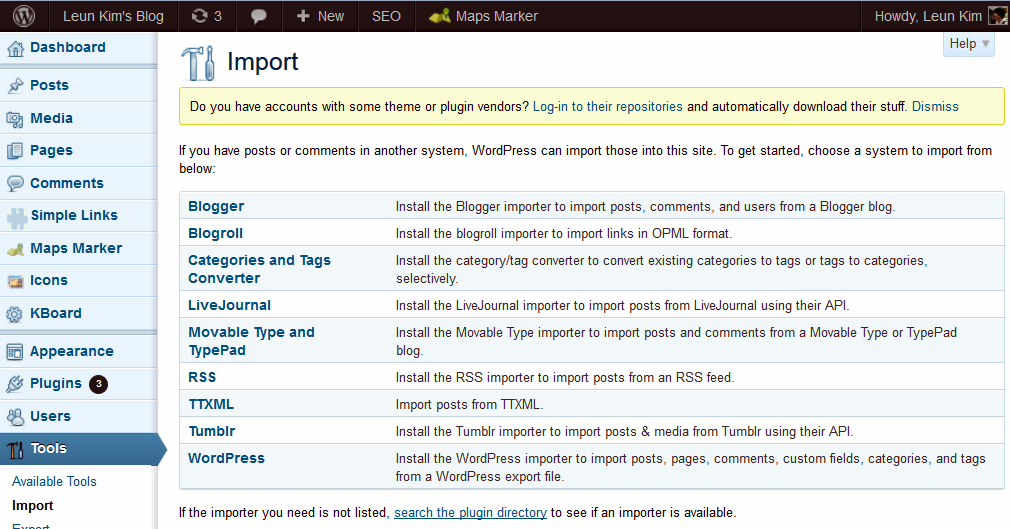
Now just load the XML backup file you exported from Tistory (with attachments included), and you're done.
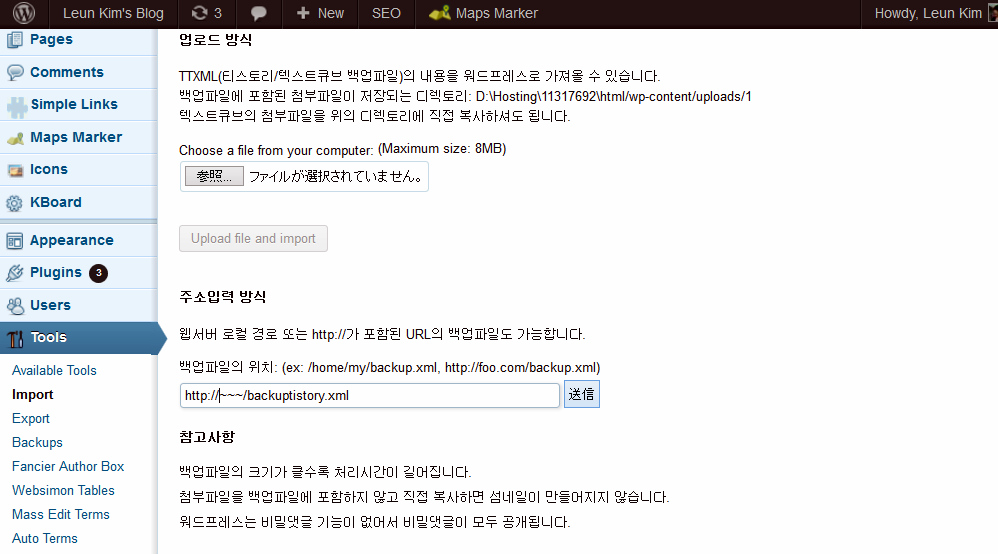
You can upload the XML file directly on the screen above, but if it's large, it's better to put it on your server first and point the importer to its URL. In my case, I didn't have many posts, but the photos were so big that the file came to about 300 MB.
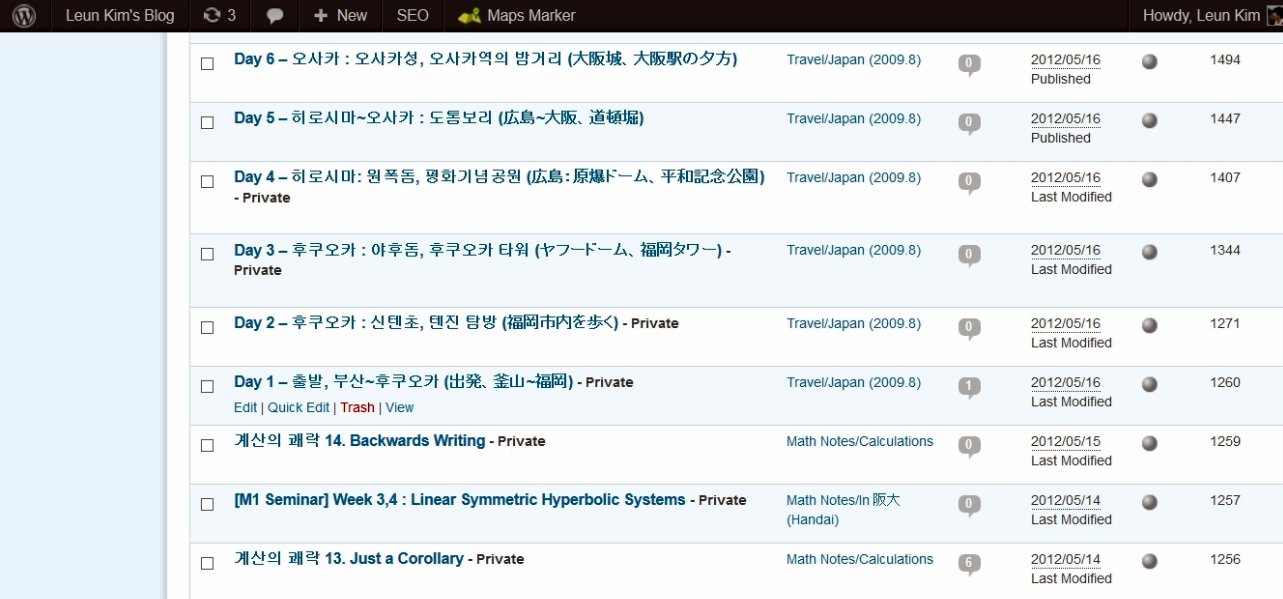
With a single click, every post came over successfully.
(Only the content is imported, not your other settings, so don't worry: apart from the post count going up, nothing on your WordPress site will change.)
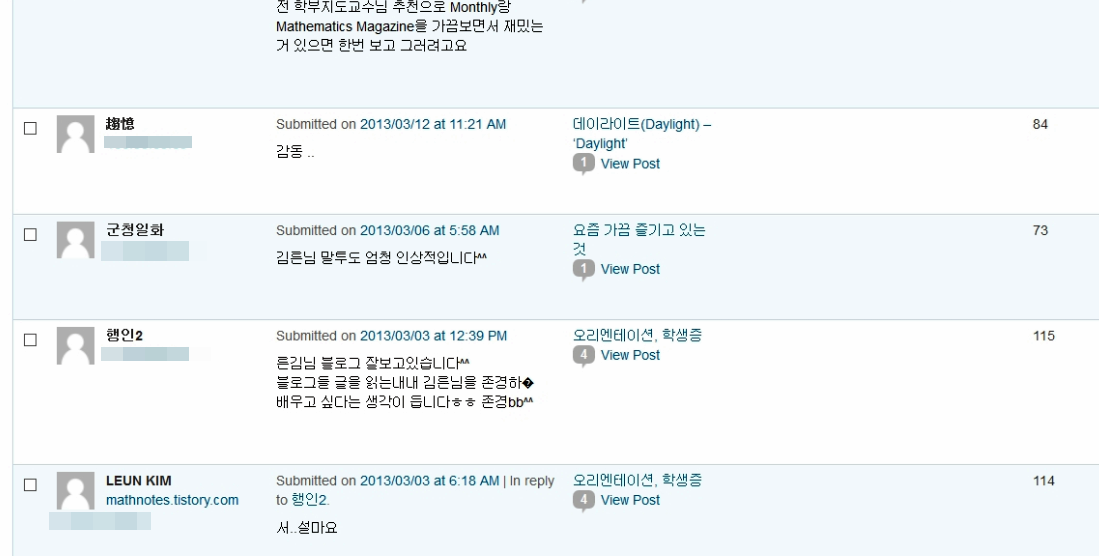
All the comments came over too.
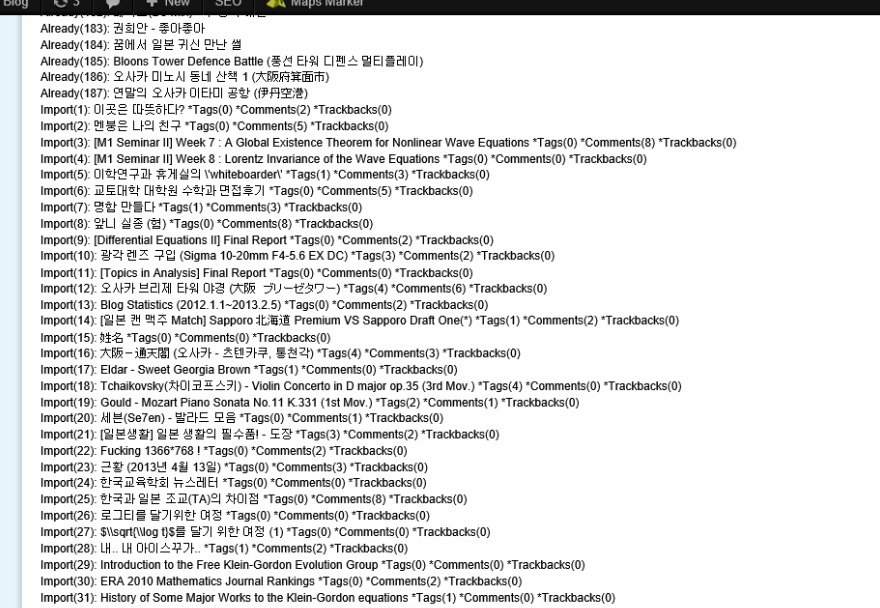
Once everything is imported, you'll see a list of the imported posts like the one above. (Your categories come over as they are, so you'll want to tidy them up afterwards.) At this point you can go ahead and delete the plugin.
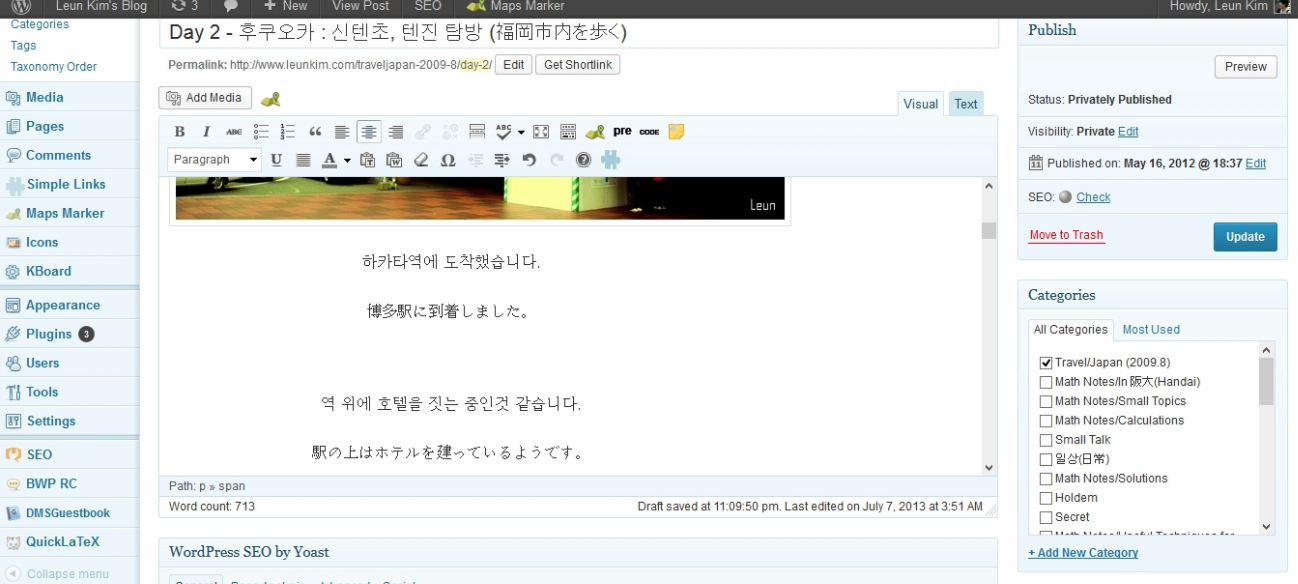
That said, there's a bit of cleanup to do. Posts without photos came over almost exactly as they were, but posts that mix text and photos can end up with a slightly messy layout, like in the screenshot above, so you'll need to fix those by hand. Also, in my experience, about one in every 100 photos ended up as a broken image.
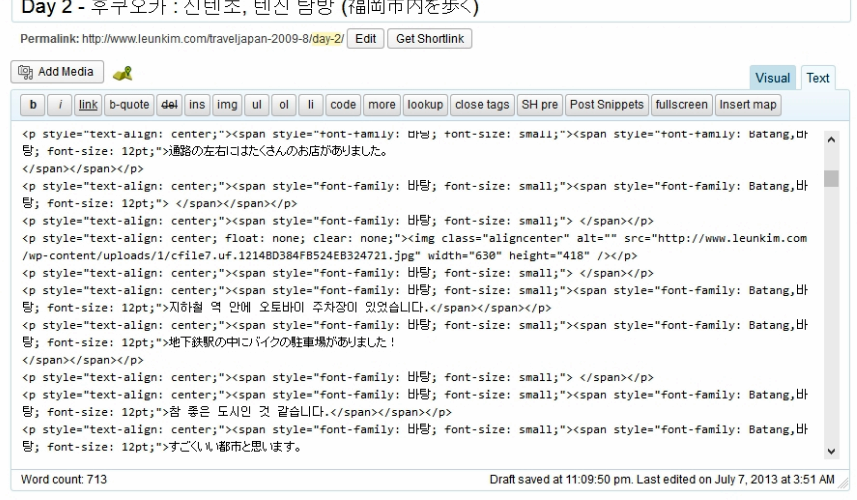
The layout gets messed up because, as you can see above, the importer brings over the raw source of your Tistory posts as is. If I'd written my posts in HTML mode on Tistory from the start, there wouldn't have been all those cluttered tags, and the whole move would have been done in one click!
More in Blog Tips
See all- How to Add Math Equations to a Blog: Images vs. MathJax vs. QuickLaTeX(10)
- [Plugin] Adding QuickLaTeX to My Blog (TikZ Graphs and Diagrams)(2)
- How to Migrate a Blog from Tistory to WordPress (TTXML Importer)(3)
- How to Use Different Fonts for English, Japanese, and Korean on a WordPress Blog
- How to Change Fonts on a WordPress Blog: Different Fonts for English, Japanese and Korean(1)
Comments 3
오... 저도 한번 옮겨볼까요....
계정 돈들여서 해볼까 싶네요 ㅋㅋ
p.s. 논문 Publish 지금 경과가 어느정도 되었나요?
생각해보니 지금은 전공책 가격때문에 ... OTL
들러주셔서 감사합니다 ㅎㅎ.
논문은 계속해서 최종본을 다듬고 있습니다.
계속 수정해도 자꾸만 수정할 부분이 보이네요ㅎㅎ
아마 8월 초 쯤에는 마무리 할 수 있을 것 같군요.