How to Get a Refund on the App Store (Apple App Refund Guide)
Translated from the Korean original. Read the original →
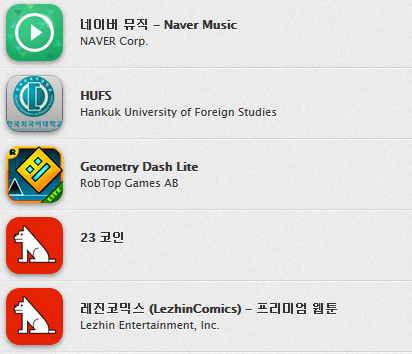 Here's a quick, simple guide to getting a refund from Apple's iPhone App Store. There are basically two ways to do it. The first one gets you a refund instantly, with no review! If it's an app or in-app currency (game coins, Modoo Marble diamonds, and so on) bought within the last three months, a few clicks are all it takes. Start by going to this site on your PC:
Log in with your Apple ID (it's an email address) and your password (the one you type every time you pay), and you'll see everything you've bought over the past three months, like below.
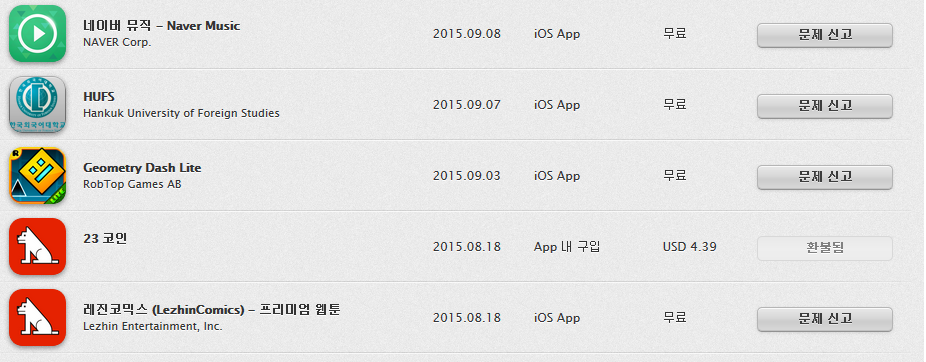
Click "Report a Problem" and pick whichever reason fits. I wanted a refund for Lezhin Comics coins I'd bought through the App Store, so I chose "The item opens but does not function as expected" and wrote a short explanation. Hit "Refund," and that's it: Apple itself cancels the charge on your card, no matter what the developer or seller thinks. If you request several refunds in a row, though, you probably won't get the instant refund anymore; instead you'll get a message asking you to contact Apple Support. In that case, head over to this address first.
Choose your region ("Korea" in my case), then click "Apps & Software". Next, click "iOS App", then "iTunes Store, App Store, or iBooks Store". After that, click "Topic not listed", type "refund", click "Continue", and choose "Email" as the contact method. You'll finally end up on an App Store refund form like this one.
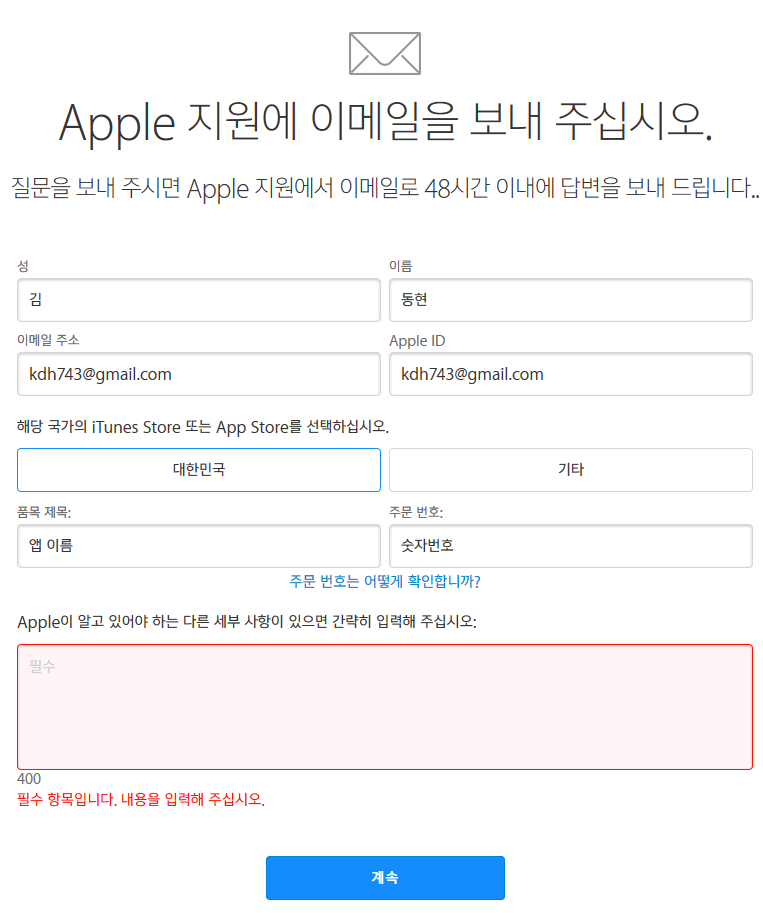
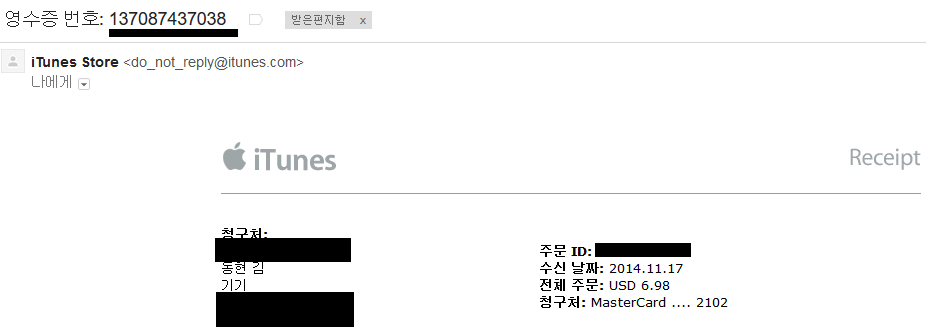
You can find the order number by digging through your email. Whenever you pay for an app or coins, you get a receipt email like the one below, and the underlined receipt number in it is your order number.
Once you've filled everything in...
explain your reason for the refund as politely and sincerely as you can, and send it off...
and in most cases, the person handling it will give you your refund!
More in Others
See all- Sony CX-550 Camcorder Review After Five Years of Use (vs. Canon 70D Video)
- How to Check Your Camera's Shutter Count (Canon EOSMSG)
- How to Get a Refund on the App Store (Apple App Refund Guide)(2)
- Full Frame vs. Crop Sensor (APS-C) Cameras: Pros and Cons(1)
- Canon EF-S 24mm F2.8 STM Pancake Lens Review: Real-World Shots on the 70D
Comments 2
심사없는 즉시 환불이라는게... 실시간으로 환불 처리가 되는건가요? 제 경우는 48시간 이내 답변을 주겠다는 메세지가 뜨던데요.
아 일단 저렇게 되면 바로는 안되고 카드취소까지 시간 좀 걸리네요~ 48시간 내에 답변 주겠다는게 뜨면 심사하겠다는건데 금액이나 종류에 따라서 심사 후 환불여부 결정되나봐요.